#90daysofDevOps ( Day 3 )

🐧💼 Mastering Linux Command Basics: Essential Skills for Tech Professionals 💼🐧
In the IT profession, Linux commands are a cornerstone of competence. Regardless of your level of expertise, the mastery of fundamental commands is non-negotiable. Allow me to introduce you to some essential commands to kickstart your Linux proficiency:
mkdir :
mkdirin Linux is a command to create new directories or folders in the file system.ls :
lsis a Linux command used to list the contents of a directory, displaying files and subdirectories.
touch :
touchis a Linux command used to create new, empty files or update the timestamps of existing files.
pwd :
pwdis a Linux command that stands for "print working directory" and is used to display the current directory path.mkdir -p :
mkdir -pis a Linux command used to create a directory and its parent directories if they don't already exist, ensuring the desired directory structure is created.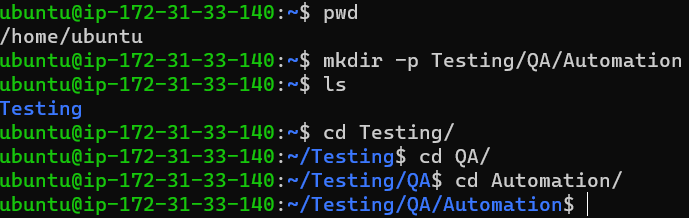
history :
historyis a Linux command that displays a list of previously executed commands in the terminal, helping users review and reuse command history.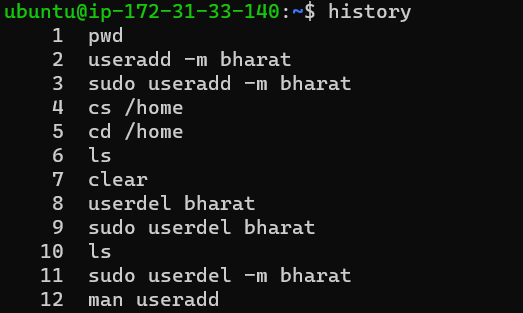
echo :
echois a Linux command used to display text or variables to the terminal or to redirect output to a file.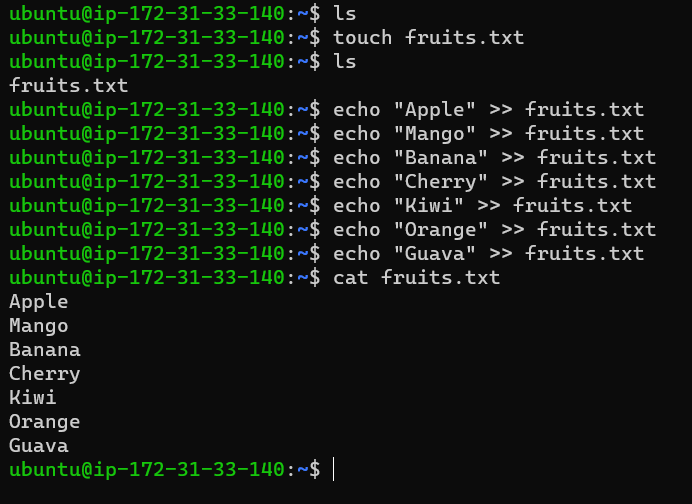
head :
headis a Linux command used to display the beginning or top part of a text file or output, typically the first 10 lines by default.tail :
tailis a Linux command used to display the end or bottom part of a text file or output, typically the last 10 lines by default.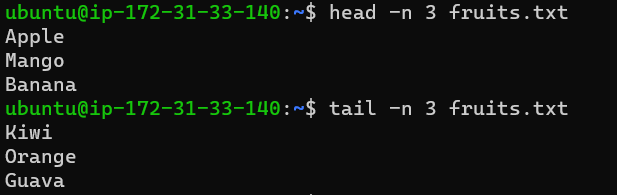
useradd -m :
useradd -mis a Linux command used to create a new user account with the-moption, which ensures that a home directory is created for the user if it doesn't already exist.sudo :
sudois a Linux command that allows authorized users to execute commands with administrative privileges, providing superuser capabilities to perform system tasks.userdel -r :
userdel -ris a Linux command used to delete a user account and remove their home directory (along with its contents) with the-roption.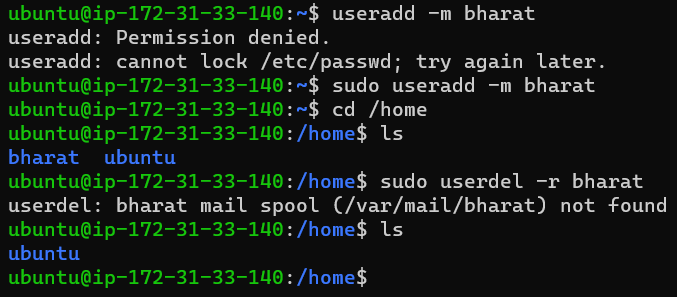
passwd :
passwdis a Linux command used to change or set the password for a user account, enhancing system security.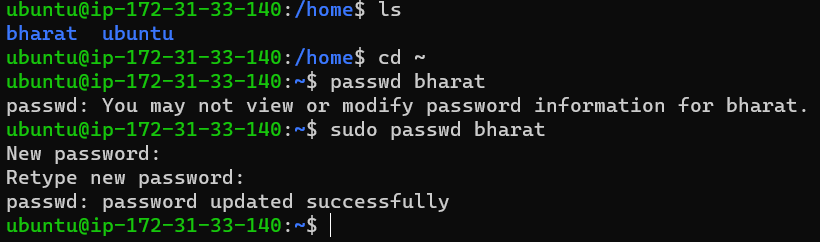
su :
suis a Linux command that stands for "switch user" and is used to switch to a different user account, typically the root (superuser) account, after entering the user's password.exit :
exitis a Linux command used to close the current shell or terminal session, logging the user out if used in the login shell.whoami :
whoamiis a Linux command that displays the username of the currently logged-in user.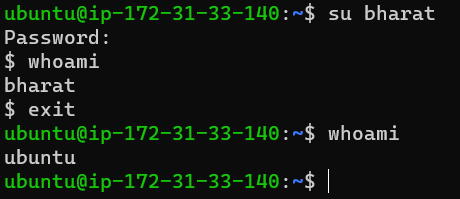
diff :
diffis a Linux command used to compare and display the differences between two text files, indicating the lines that vary between them.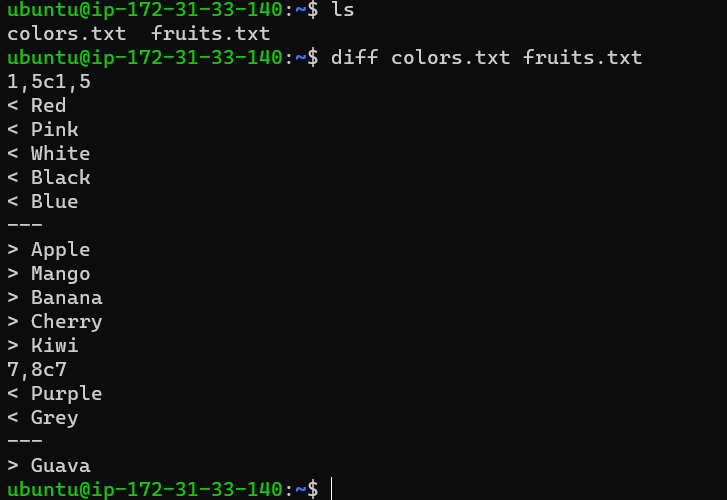
#90daysofDevOps