Cron/Crontab and User Management
User Management :
A user is an entity, in a Linux operating system, that can manipulate files and perform several other operations. Each user is assigned an ID that is unique for each user in the operating system. User Management makes sure the right people get access to the right stuff while keeping the wrong ones out. It helps your team collaborate efficiently and keeps sensitive information safe. After installation of the operating system, the ID 0 is assigned to the root user and the IDs 1 to 999 (both inclusive) are assigned to the system users hence the IDs for local user begins from 1000 onwards.
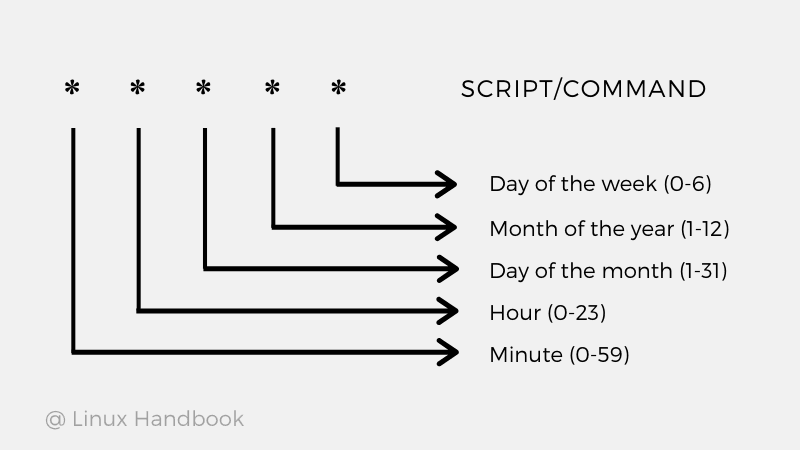
Cron and Crontab :
Cron is the system's main scheduler for running jobs or tasks unattended. A command called crontab allows the user to submit, edit or delete entries to cron. A crontab file is a user file that holds the scheduling information.
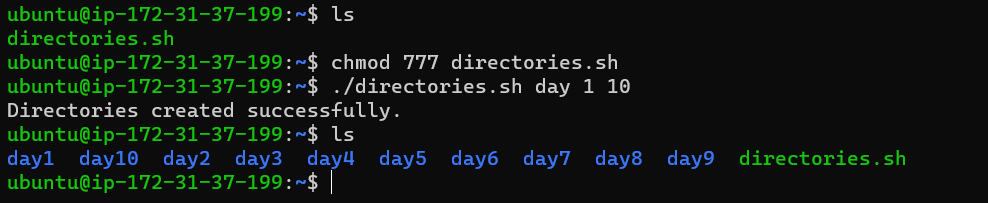
Task: Shell Script to create directories using either Loops or command with start day and end day variables using arguments.
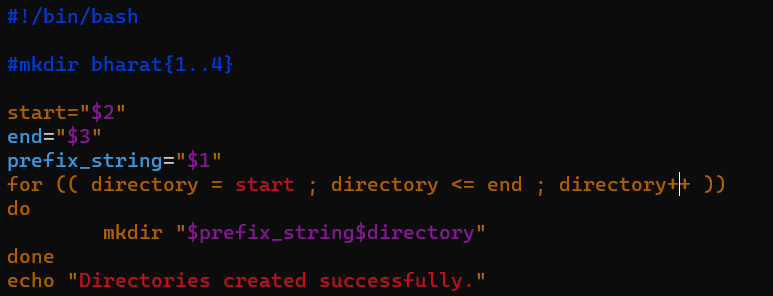
used for loop to loop around from start to end.
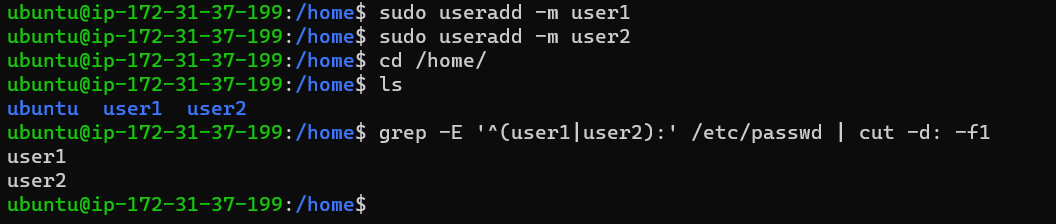
Task 2: Create 2 users and just display their Usernames